
Planned sales intelligence
See planned insider selling before execution prints.
Form 144 planned-sale filings disclose intent before disposal. Insider Oracle turns those filings into a workflow you can scan, filter, and contextualize — so planned selling pressure becomes visible before it becomes price action.
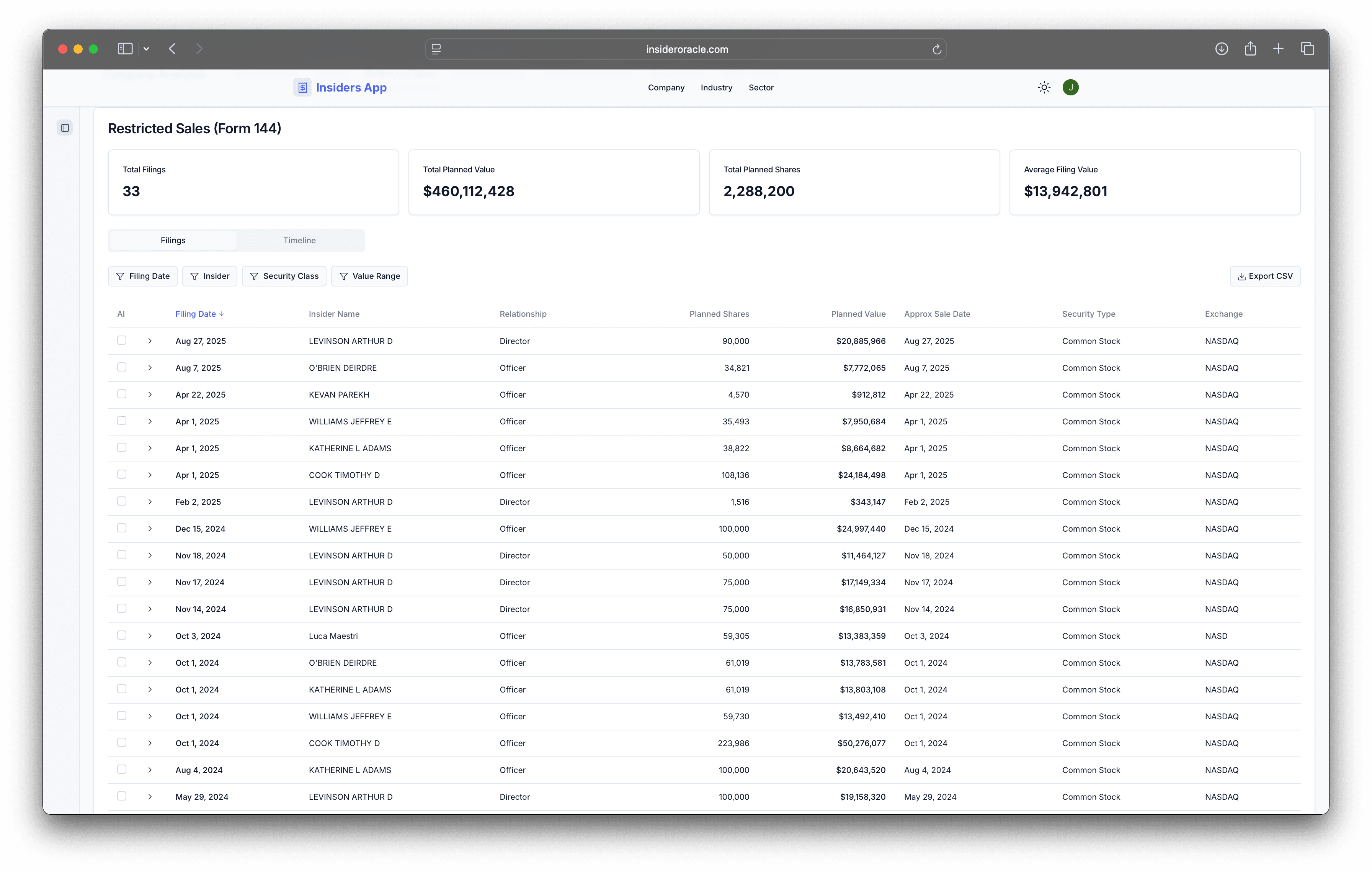

Form 144 planned-sale filings indexed at the company level
Planned share counts, dollar values, broker, and timing in one view
Side-by-side context with the insider trades that follow
Why it matters
Execution headlines arrive late. Filing intent arrives earlier.
Most investors react after disposal is visible in price action or post-trade reporting. Form 144 planned-sale filings surface intent earlier, which is precisely when monitoring planned supply is most valuable.
Workflow
Move from filing noise to actionable selling context.
The Planned Sales tab lives inside each company's workspace. Filter by insider, security, value range, or date, and pivot directly to holdings or trades to confirm whether intent translated into action.
Insider Oracle edge
How Insider Oracle does this better
Built around the filing, not just an alert
We frame the signal around real filing mechanics — broker, security, share count, value range — instead of flattening it into a single notification.
Connected to the rest of the insider story
Planned sales become more useful when they sit beside holdings shifts, trade history, and governance context.
Designed for monitoring, not scavenger hunts
The product path is already aligned to company analysis, so the signal stays attached to the investment workflow.
Go deeper
Track planned selling with company context already attached.
Start with the filings that often precede visible disposal pressure, then move straight into holdings, trades, and governance to confirm or dismiss the signal.