
Holdings comparison
Read insider conviction as a pattern, not a one-off print.
A single buy or sale can mislead. Position change over time is much harder to fake. Insider Oracle compares insider holdings between any two dates and surfaces who is adding, trimming, exiting, or quietly building.
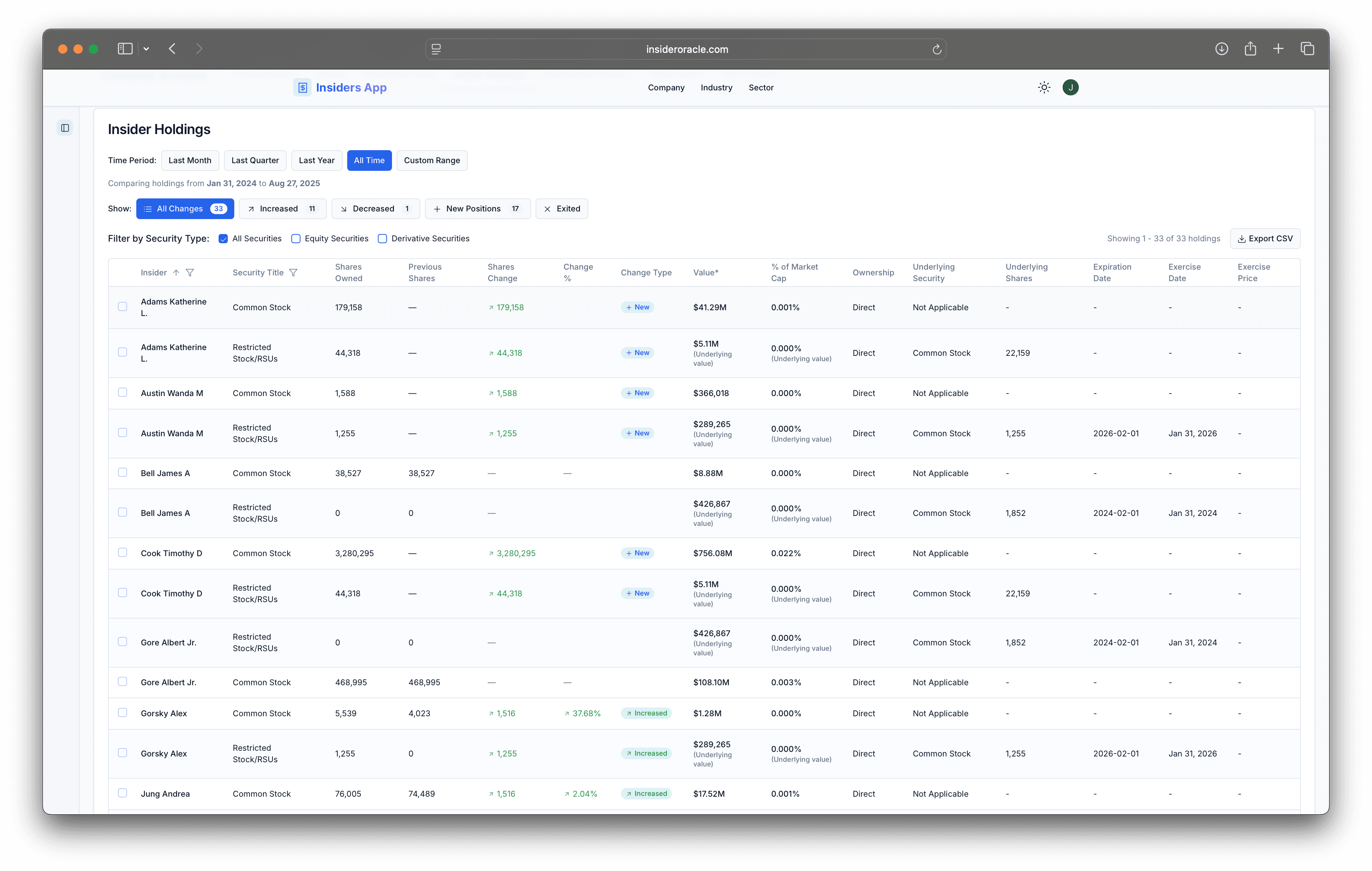

Compare insider positions across any two transaction dates
Increased, decreased, new, and exited positions called out automatically
Filter by insider, security, or change type and export with comparison data
Why it matters
Conviction is a pattern, not a single print.
A buy or sale only tells part of the story. Holdings comparison shows whether insiders are leaning in, distributing gradually, or stepping away — the kind of structural read that one filing can never give you.
Workflow
Compare two moments. Read the ownership story in seconds.
Pick a primary date and a comparison date. Holdings recompute against both, and every position is tagged increased, decreased, new, exited, or unchanged. Card view groups positions by insider with aggregated totals; table view exposes every change column for sorting; CSV export carries the comparison data into your model.
Insider Oracle edge
How Insider Oracle does this better
Temporal analysis is the default, not an afterthought
Most tools show current ownership. We show how it changed and what kind of change it was.
Position shifts stay attached to the rest of the company
From any holdings change you can move to trades, compensation, Planned Sales, or governance without losing the thread.
Built for interpretation, not record lookup
The screen answers the question that matters: who got more committed, who left, and how big was the move?
Go deeper
See how insider conviction evolves before your thesis does.
Use historical holdings comparison to spot the position shifts that single-filing alerts miss entirely.